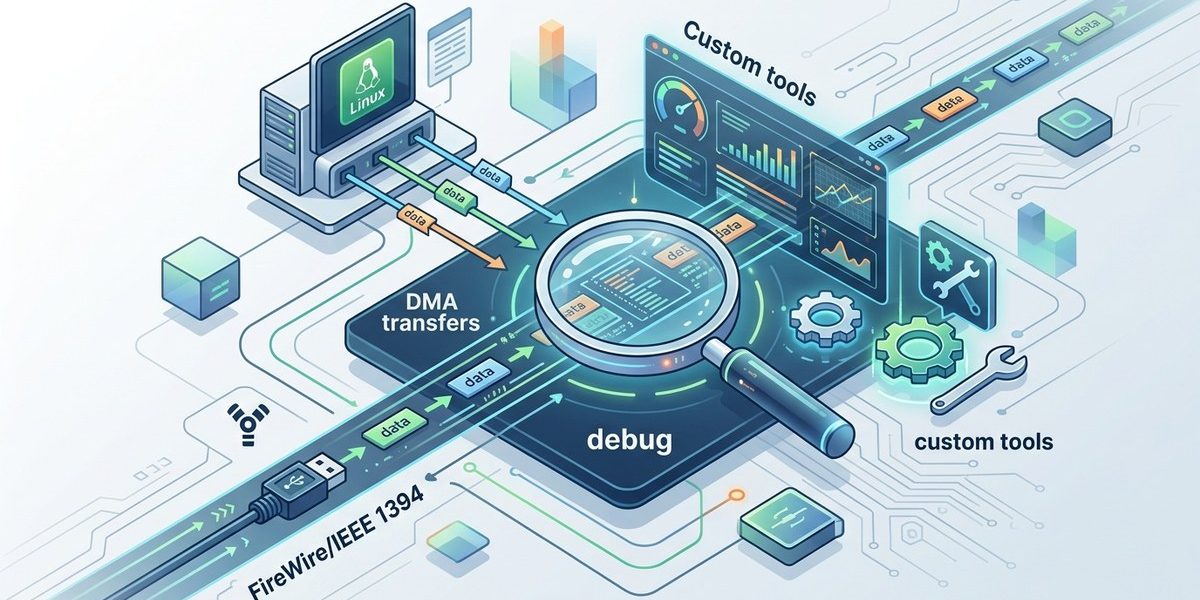

FireWire DMA transfers can be a real headache when you are knee deep in kernel code at 2 AM. You have your custom data acquisition rig hooked up, the hardware is powered on, but the DMA engine either stalls, spits out corrupted buffers, or refuses to initialize at all. The IEEE 1394 bus is still a workhorse for digital forensics, high speed video capture, and embedded system debugging in 2026. So when DMA goes wrong, you need targeted tools and a systematic approach.
Debugging FireWire DMA on Linux requires a mix of kernel level tracing, bus sniffer utilities, and custom crafted test programs. This guide walks you through setting up the right kernel config flags, using raw1394 and linux1394 tools to inspect DMA descriptors, and building your own minimal DMA test harness. You will learn to identify common failure modes like misaligned buffers, incorrect AR request codes, and OHCI controller quirks, then fix them with targeted patches.
Why FireWire DMA Still Matters in 2026
You might think FireWire is ancient history. But IEEE 1394 remains critical in niche domains. Digital forensics teams use it for physical memory acquisition from suspect machines. High speed camera interfaces rely on guaranteed isochronous bandwidth. And many embedded debug boards still ship with FireWire ports for low level hardware bring up. The Linux kernel has mature support through the firewire stack, but DMA debugging is where most developers get stuck.
The real trick is that FireWire DMA bypasses the CPU. Data moves directly between device memory and system RAM. When something breaks, the kernel logs might show nothing at all. You need tools that can peer into the OHCI controller registers and the DMA descriptor rings.
Setting Up Your Debug Environment
Before you write a single line of test code, make sure your kernel is built with the right options. You cannot debug what you cannot see.
Required Kernel Configuration
- CONFIG_FIREWIRE (the main driver stack)
- CONFIG_FIREWIRE_OHCI (OHCI controller support)
- CONFIG_FIREWIRE_RAW (raw1394 character device)
- CONFIG_FIREWIRE_NET (optional, for network debugging)
- CONFIG_DYNAMIC_DEBUG (to enable firewire debug messages)
- CONFIG_IOMMU_SUPPORT (check if IOMMU is interfering)
Enable dynamic debug for the firewire module at boot time:
firewire_ohci.dyndbg=+pfl
firewire_core.dyndbg=+pfl
This will dump OHCI register accesses and DMA descriptor processing to the kernel log. It can be noisy, but it is your first line of defense.
Essential User Space Tools
Install these packages on your 2026 Linux distribution:
- libraw1394 and libraw1394 dev headers
- libiec61883 (for isochronous streams)
- fwtest (a minimal DMA test utility, often included in linux1394 tools)
- gdb with kernel debug symbols
- ftrace for function level tracing
You can find the latest versions on the linux1394.org repository.
Building a Custom DMA Test Harness
The fastest way to isolate a DMA bug is to write a minimal test program that exercises the OHCI DMA engine directly. Do not rely on higher level libraries at first. Use raw1394 ioctl calls to set up a single DMA context and watch what happens.
Step by Step Test Harness
- Open the raw1394 device file and get a handle.
- Allocate a physically contiguous buffer using mmap on the device file. The OHCI controller needs physical addresses, not virtual ones.
- Set up a single AR (Asynchronous Receive) DMA context. Fill in the descriptor ring with at least two descriptors.
- Program the OHCI register to start the DMA engine for that context.
- Poll the descriptor status fields to see if data arrived.
- Read back the buffer and compare it to known patterns sent from the remote device.
Here is a stripped down pseudo code example:
int fd = open("/dev/raw1394", O_RDWR);
raw1394_handle_t handle = raw1394_new_handle_on_fd(fd);
// Allocate DMA buffer
struct raw1394_ohci_dma *dma = raw1394_ohci_alloc_dma(handle, 4096);
// Fill descriptor ring
struct fw_descriptor desc[2];
desc[0].address = dma->physical;
desc[0].length = 2048;
desc[0].control = DESCRIPTOR_UPDATE | DESCRIPTOR_IRQ;
desc[1].address = dma->physical + 2048;
desc[1].length = 2048;
desc[1].control = DESCRIPTOR_UPDATE | DESCRIPTOR_IRQ | DESCRIPTOR_BRANCH_ALWAYS;
// Program OHCI
ohci_set_ar_context(handle, 0, desc, 2);
ohci_start_dma(handle, OHCI_DMA_AR, 0);
// Wait for interrupt or poll
sleep(1);
// Check descriptor status
if (desc[0].res_count != 2048) {
    printf("Data received: %d bytes\n", 2048 - desc[0].res_count);
}
If you see zero bytes received, the DMA context never triggered. If you see incorrect data, the buffer alignment or descriptor control bits are wrong.
Common DMA Failure Modes and Fixes
Here is a table of typical problems you will encounter when debugging FireWire DMA on Linux, along with their symptoms and solutions.
| Symptom | Likely Cause | Fix |
|---|---|---|
| DMA context never starts, status register shows 0 | IOMMU blocking physical addresses | Disable IOMMU for FireWire or use swiotlb |
| Data received but all zeros | Buffer not physically contiguous | Use raw1394 allocated DMA memory, not malloc |
| Interrupts fire but no data in buffer | Descriptor control bits wrong | Set DESCRIPTOR_UPDATE and DESCRIPTOR_IRQ correctly |
| Random data corruption | Cache coherency issue | Use dma_alloc_coherent in kernel module or call dma_sync_single_for_cpu |
| DMA stops after one transfer | Descriptor ring not looping | Add DESCRIPTOR_BRANCH_ALWAYS to last descriptor |
| Device not detected on bus | Cable or power issue | Check with lsfirewire or dmesg | grep firewire |
Using ftrace to Trace OHCI Register Writes
When the kernel logs are too verbose or miss critical events, ftrace gives you surgical precision. Enable function tracing for the firewire_ohci module.
echo function > /sys/kernel/debug/tracing/current_tracer
echo firewire_ohci:* > /sys/kernel/debug/tracing/set_ftrace_filter
cat /sys/kernel/debug/tracing/trace_pipe
You will see every call to functions like ohci_ar_context_init, ohci_start_dma, and ohci_handle_at_request. Watch for unexpected return values or missing calls.
Expert advice from a kernel maintainer: “Always check the OHCI register dump before blaming your DMA code. Nine times out of ten, the controller is in a state you did not expect. Read the CONTEXT_CONTROL register and verify the RUN bit is set.”
Debugging with Raw1394 Loopback Tests
A loopback test removes the remote device from the equation. Connect two FireWire ports on the same machine, or use a FireWire cable to loop a single port back to itself (if your hardware supports it). Then send a known packet from one context and receive it on another.
Loopback Test Steps
- Set up an AT (Asynchronous Transmit) context on port 0.
- Set up an AR context on port 1.
- Send a packet with a known payload from the AT context.
- Read the AR context buffer and verify the payload matches.
This isolates driver issues from hardware problems. If the loopback works but real device communication fails, the problem is on the remote side.
Checking IOMMU Interference
In 2026, most x86 systems have an IOMMU enabled by default. The IOMMU can block DMA transfers from FireWire controllers if the physical addresses are not mapped correctly. You have two options:
- Disable the IOMMU for the FireWire device using the kernel parameter
iommu=ptorintel_iommu=off. - Use the swiotlb kernel parameter to force bounce buffering:
swiotlb=force.
Check if IOMMU is causing trouble by running:
dmesg | grep -i dmar
dmesg | grep -i firewire
If you see “DMAR: DRHD: handling fault status reg” messages, the IOMMU is blocking your DMA.
Tools for Advanced DMA Inspection
When the basic tools are not enough, reach for these custom utilities:
- fwmon: Monitors all isochronous and asynchronous traffic on the bus. Useful for seeing if packets are actually being sent.
- ohci_dump: Reads every OHCI register and prints them in human readable format. Helps verify the controller state machine.
- dma_tracer: A kernel module that intercepts DMA descriptor writes and logs them with timestamps.
You can find these tools on the linux1394.org tools page. They are maintained by the community and updated for kernel 6.x.
Integrating with Your Workflow
Do not treat DMA debugging as a separate activity. Integrate it into your normal development cycle. Every time you change the kernel module or the user space library, run a quick DMA sanity test.
- Write a shell script that runs the loopback test and checks for errors.
- Add a git pre commit hook that compiles the test harness and runs it.
- Monitor kernel logs during boot to catch early DMA failures.
For deeper integration, check out Understanding Low-Level FireWire Hardware Communication on Linux. It covers the register level details you need to write better DMA code.
Your Next Steps for Reliable FireWire DMA
FireWire DMA debugging on Linux does not have to be a black art. Start with the kernel dynamic debug flags. Build a minimal test harness using raw1394. Run loopback tests to rule out hardware issues. And keep the OHCI register dump as your go to reference.
When you get stuck, remember that the linux1394 community is still active. Post your kernel logs and test harness output to the mailing list. Someone has almost certainly hit the same bug before.
Now go hook up that camera or forensic target, run your custom DMA test, and watch those descriptors fill with real data. Your FireWire bus is waiting.