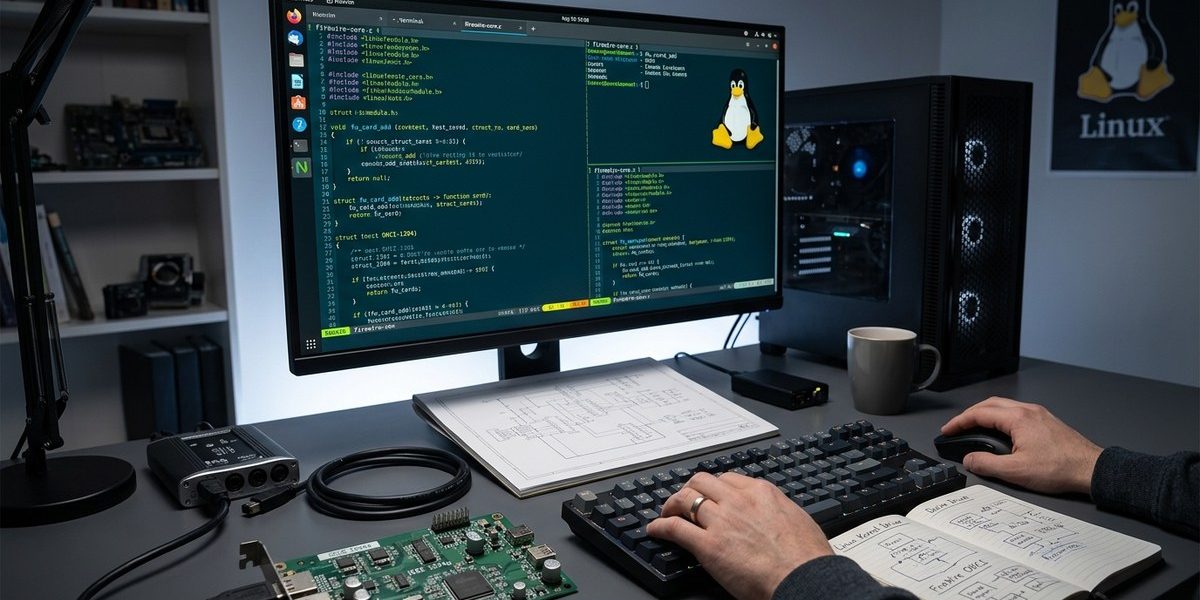

Developing FireWire drivers on Linux can seem complex at first glance. The IEEE 1394 interface offers fast, reliable data transfer for audio, video, and storage devices. For Linux developers and system integrators, understanding how to create or modify FireWire drivers enables smooth hardware support and optimal performance. Whether you are customizing existing drivers or building new ones, grasping the Linux FireWire subsystem is key. This guide walks you through the core concepts, practical steps, and best practices for FireWire driver development in Linux.
Mastering FireWire driver development in Linux involves understanding the subsystem architecture, using kernel interfaces effectively, and following best practices for device probing and communication. Building robust drivers ensures hardware compatibility and performance, making it essential for Linux system developers working with FireWire devices.
Understanding the FireWire subsystem in Linux
To develop effective FireWire drivers on Linux, start with a solid grasp of the subsystem architecture. The Linux FireWire stack manages device detection, data transfer, and device-specific operations. It relies on core components such as the FireWire core driver, the host controller drivers, and device-specific modules.
The core layer, part of the Linux kernel, handles device enumeration, connection management, and transaction orchestration. Device drivers interact with this core to register new hardware, handle data streams, and respond to system events. The Linux FireWire subsystem supports isochronous and asynchronous data transfer modes, essential for multimedia applications.
For in-depth technical details, the official Linux kernel documentation provides a comprehensive overview. Familiarizing yourself with the firewire subsystem documentation helps understand the underlying data structures and APIs.
Essential components for FireWire driver development in Linux
Developing FireWire drivers involves working with several key kernel interfaces:
- FireWire core interface: Provides functions for device registration, transaction management, and error handling.
- Host controller drivers: Interface with specific hardware controllers, such as OHCI or VIA chipsets.
- Device-specific drivers: Manage particular FireWire devices, like digital audio interfaces or storage devices.
- sysfs and device attributes: Enable user-space interaction for configuration and debugging.
Understanding how these components fit together allows you to design drivers that are robust, flexible, and compatible across different hardware.
Practical steps to develop a FireWire driver in Linux
Building a FireWire driver requires a structured approach. Here are the essential steps:
-
Set up your development environment
Install the latest Linux kernel source code and development tools. Use kernel build environments likemake menuconfigto enable FireWire support and relevant subsystems. Familiarize yourself with kernel module development basics. -
Understand hardware specifications
Obtain hardware datasheets or specifications for the FireWire controllers you target. Knowing the register map, interrupt handling, and transaction protocols is crucial. For example, if working with a VIA or Texas Instruments controller, review their documentation. -
Register your driver with the kernel
Use the Linux device model to register your driver as a kernel module. Implement probe and remove functions to handle device connection and disconnection events. Leverage thepci_driverorplatform_driverstructures as appropriate. -
Implement device probing and initialization
During probing, detect the hardware, allocate resources, and initialize the FireWire controller. Register the device with the FireWire core using API functions likefirewire_register(). Set up data transfer channels and configure device parameters. -
Manage data transfer operations
Handle data streams through the core’s transaction APIs. Implement callbacks for asynchronous and isochronous transfers. Use appropriate synchronization mechanisms to ensure thread safety. -
Handle errors and power management
Implement error recovery procedures to manage link failures or hardware resets. Integrate power management callbacks to support suspend and resume cycles, preserving device state. -
Test thoroughly
Use tools likedmesg,firewire-1394, and custom test scripts to validate device operation. Verify data integrity and transfer speeds. Document your driver’s behavior for future maintenance.
Techniques and common pitfalls in FireWire driver development
Developers often encounter specific challenges when working with FireWire hardware. Here’s a quick comparison to help navigate common techniques and mistakes:
| Technique | Mistake to Avoid |
|---|---|
| Proper resource allocation during probe | Forgetting to release resources during removal leads to leaks |
| Using kernel APIs as intended | Calling deprecated functions causes incompatibility |
| Implementing efficient transaction callbacks | Blocking operations in callbacks cause deadlocks |
| Handling power management gracefully | Ignoring suspend/resume can cause device instability |
| Testing with diverse hardware | Relying on a single device limits robustness |
Expert advice: Always verify your driver on multiple hardware platforms. FireWire controllers vary in implementation, and what works on one may not on another. Use the Linux kernel’s debugging tools like
ftrace,kprobes, and kernel logs extensively.
Best practices for FireWire driver development in Linux
- Follow kernel coding standards: Write clean, modular, and well-documented code.
- Use existing APIs: Leverage the FireWire core APIs for transaction handling and device registration.
- Prioritize stability and error handling: Devices can behave unpredictably; robust error recovery ensures system stability.
- Keep compatibility in mind: Support multiple kernel versions and hardware revisions.
- Engage with the Linux community: Participate in kernel mailing lists and forums. Sharing your experience accelerates learning and improves your driver.
Moving from development to deployment
Once your driver is stable, consider integrating it into the mainline kernel or distributing it as a loadable module. Test on different Linux distributions to ensure portability. Document your driver thoroughly, including setup instructions, known issues, and troubleshooting tips.
Regular updates are vital. FireWire hardware evolves, and kernel updates may impact driver functionality. Stay informed through kernel release notes and community channels.
Final thoughts on FireWire driver development in Linux
Creating FireWire drivers for Linux demands a mix of hardware understanding, kernel API familiarity, and meticulous testing. With a clear approach, you can develop drivers that unlock the full potential of FireWire devices. By sharing your work and staying engaged with the Linux kernel community, you’ll contribute to a more vibrant and hardware-friendly Linux ecosystem.
Begin by setting up your environment, studying existing drivers, and iteratively building your module. Practical experience combined with community feedback will turn complex tasks into manageable projects. Happy coding, and may your FireWire projects run smoothly across all your Linux systems.