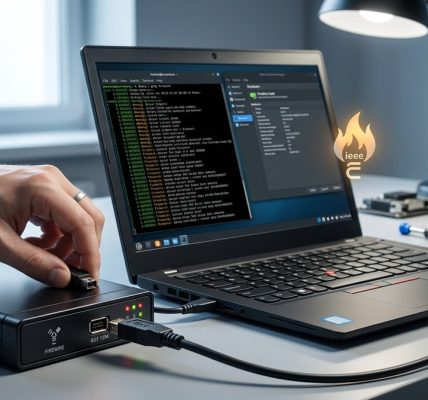

Developing FireWire drivers for Linux is a complex yet rewarding task that requires a solid understanding of both hardware protocols and kernel internals. FireWire, also known as IEEE 1394, has been a popular interface for high-speed data transfer, especially in multimedia applications. Despite its declining presence on mainstream consumer devices, FireWire remains vital in specific professional and hobbyist setups. If you’re interested in contributing to Linux’s FireWire support or creating custom drivers, this guide will walk you through the core concepts, development steps, and practical tips to get started.
FireWire driver development on Linux demands a clear grasp of the IEEE 1394 protocol, kernel APIs, and hardware interaction. Understanding existing drivers, utilizing kernel debugging tools, and following best practices can streamline your development process. With patience and careful testing, you can successfully build or enhance FireWire support tailored to your hardware or project needs.
Understanding the FireWire Protocol and Hardware
Before diving into driver development, it’s crucial to understand the underlying FireWire protocol and how Linux interfaces with FireWire hardware. IEEE 1394 is a serial bus interface for high-speed communication, capable of connecting multiple devices such as cameras, external drives, and audio interfaces. FireWire’s architecture involves asynchronous and isochronous data transfers, making driver design more intricate.
Linux’s FireWire support is split into several components, primarily handled by the FireWire subsystem in the kernel. This includes core infrastructure, device-specific drivers, and higher-level frameworks like FFADO for audio devices. The core subsystem manages device enumeration, configuration, and data transfer, which developers should familiarize themselves with.
Existing Linux FireWire Infrastructure
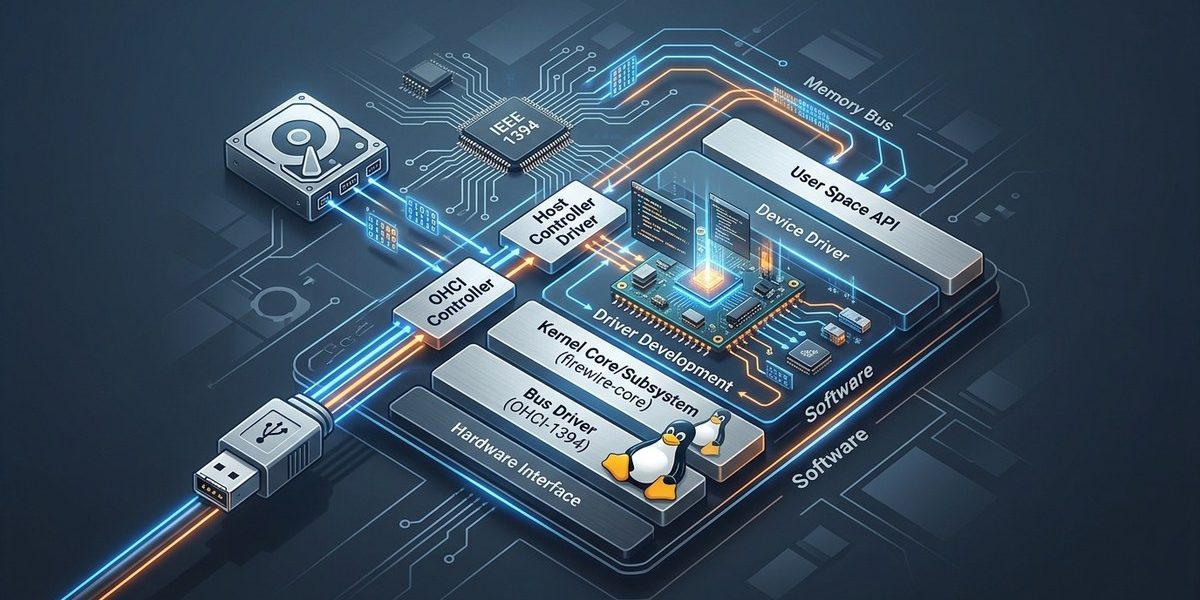
The Linux FireWire subsystem is composed of multiple layers:
– The core FireWire driver code that manages device detection and basic communication.
– Protocol-specific drivers that implement features like isochronous data streams.
– User-space frameworks such as FFADO for audio interfaces.
Examining the Linux FireWire subsystem documentation offers valuable insights into the architecture and current support status.
Setting Up Your Development Environment
Preparing an optimal environment is vital for FireWire driver development. You will need:
– A Linux kernel source tree matching your target kernel version.
– Development tools like gcc, make, and kernel headers.
– Hardware with FireWire ports for testing, or a FireWire PCIe card.
– Debugging tools such as printk, ftrace, or kernel debugging with QEMU if hardware isn’t available.
Start by cloning the kernel source from the official Linux kernel repository and configuring it with make menuconfig. Ensure that FireWire support is enabled, either built-in or as a module.
Developing and Integrating a FireWire Driver in Linux
Creating a FireWire driver involves multiple steps. Here is a practical outline to guide your process:
- Identify the hardware: Know the PCI vendor and device IDs. Use tools like
lspci -nnto gather this information. - Register your driver: Write initialization code that registers your driver with the PCI subsystem.
- Implement device probing: Detect the FireWire hardware during boot or hot-plug events. Use
pci_register_driver()and define your probe function. - Manage device configuration: Set up the device registers, allocate resources, and establish communication channels.
- Implement data transfer routines: Handle asynchronous and isochronous data streams, possibly using the existing FireWire core APIs.
- Handle device removal: Clean up resources during device disconnect.
- Test thoroughly: Use tools like
firewire-rawutilities or custom test scripts to verify data flows.
Practical steps for driver development
- Study existing drivers: Review drivers like
firewire-sbp2,firewire-ohci, andfirewire-coreto understand best practices. - Write a minimal driver: Focus on detecting the device and establishing communication.
- Use kernel APIs: Leverage functions like
pci_enable_device,pci_set_master, and FireWire-specific APIs. - Implement error handling: Be vigilant about resource cleanup and error conditions.
- Utilize debugging tools: Use
dmesg,printk, and kernel probes to troubleshoot issues.
Practical process outline
- Gather hardware info
- Write driver skeleton with registration functions
- Probe device and initialize hardware
- Implement data transfer routines
- Test and refine driver code
Techniques and Common Pitfalls in FireWire Driver Development
| Technique | Mistake to Avoid |
|---|---|
| Use existing kernel APIs for device registration | Hardcoding hardware addresses or bypassing kernel APIs |
| Enable verbose debugging during development | Forgetting to disable debug logs in production |
| Test with real hardware | Relying solely on simulated environments |
| Keep driver modular | Creating monolithic code that’s hard to maintain |
“A common mistake is to ignore the synchronization issues between asynchronous and isochronous data streams. Proper handling of locks and timing is crucial for reliable operation.”
Tips for successful development
- Study the FireWire core code for insights into existing mechanisms.
- Use kernel debugging tools like
ftracefor tracing driver execution. - Modularize your code for easier maintenance and future updates.
- Engage with the Linux kernel mailing list for advice and code review.
Mistakes to Watch Out For
- Not aligning data structures with hardware specifications.
- Failing to handle power management states.
- Overlooking proper cleanup routines, leading to resource leaks.
- Ignoring hardware-specific quirks, which may cause instability.
| Technique | Mistake to Avoid |
|---|---|
| Properly synchronize data transfers | Ignoring concurrency issues |
| Follow kernel coding standards | Writing non-compliant code that causes build errors |
| Test on multiple hardware setups | Assuming hardware behavior is uniform |
Contributing Your FireWire Driver to Linux
Once your driver is stable, consider submitting it upstream. Follow the Linux kernel contribution process:
– Write clear, well-documented code.
– Follow the kernel coding style.
– Prepare patch series with descriptive commit messages.
– Submit patches via the kernel mailing list for review.
Participating in the community can improve your driver and help others facing similar challenges.
Final Thoughts on FireWire Driver Development Linux
Creating or enhancing FireWire support on Linux is an engaging project that can deepen your understanding of kernel internals and hardware protocols. It involves careful planning, testing, and adherence to best practices. As you progress, you’ll gain insights into low-level hardware interactions and kernel architecture, empowering you to contribute meaningful improvements to Linux’s multimedia capabilities.
Keep your focus on incremental development, leveraging existing code, and engaging with the community. With dedication, you’ll be able to develop reliable FireWire drivers that serve your specific needs or help advance Linux hardware support.
Embracing the journey of Linux FireWire driver development
Building FireWire drivers for Linux is both a technical challenge and a rewarding experience. It pushes your skills in kernel programming, hardware communication, and system design. Take your time to understand the existing infrastructure, test rigorously, and share your work with the community. Your contributions can help maintain FireWire’s relevance and support in open-source environments.
Happy coding, and may your drivers run smoothly with flawless data transfers!