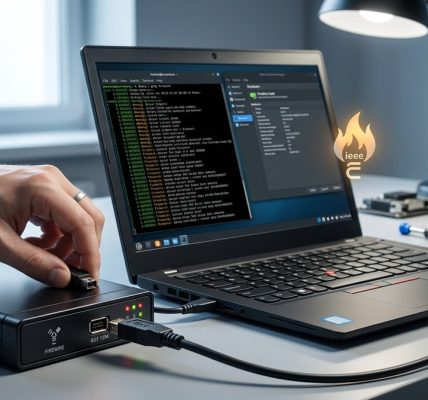

Enhancing FireWire performance on Linux systems can make a significant difference when working with large data streams, professional audio and video equipment, or high-performance hardware. While Linux offers robust support for FireWire devices, achieving peak transfer speeds often requires fine-tuning and specific configurations. This guide walks you through practical steps to optimize FireWire performance on Linux, helping you get the most out of your high-speed connections.
To maximize FireWire transfer speeds on Linux, ensure hardware compatibility, update drivers, adjust kernel parameters, and optimize system settings with precision. Proper tuning can significantly improve performance for high-demand tasks.
Understanding FireWire and Linux Compatibility
FireWire, also known as IEEE 1394, has been a popular high-speed interface for professional audio, video, and data transfer. Linux’s support for FireWire has improved over the years, but to unlock optimal performance, it’s essential to understand how Linux interacts with FireWire hardware.
Most modern Linux kernels include FireWire support through the FireWire subsystem, which handles device detection, driver management, and data transfer. However, the performance can vary based on kernel version, driver configurations, and hardware compatibility. Ensuring your Linux system recognizes your FireWire devices correctly is the first step towards performance optimization.
Practical Steps to Boost FireWire Data Transfer Speeds
Achieving high-speed FireWire transfers involves a combination of hardware checks, driver configurations, and system tuning. Follow these steps to improve your setup:
1. Verify Hardware Compatibility and Connections
- Use quality cables and connectors: Low-quality cables can bottleneck data transfer. Invest in well-shielded, high-quality FireWire cables.
- Check port and device compatibility: Not all FireWire ports support the same speeds. FireWire 400 (IEEE 1394a) supports up to 400 Mbps, while FireWire 800 (IEEE 1394b) can reach 800 Mbps. Verify your hardware supports the desired speed.
- Connect directly to the motherboard: Avoid hubs or extension cables that may introduce latency or reduce bandwidth.
2. Update Kernel and Drivers
- Use the latest Linux kernel: Kernel updates often include improved support for FireWire hardware. Consider running a recent stable version or a distribution known for hardware compatibility.
- Ensure correct driver modules are loaded: Modules like
firewire_ohci,firewire_sbp2, andfirewire_coreshould load automatically, but verify withlsmod. - Use the
libraw1394library: For advanced applications, ensure this library is installed and up to date, as it provides optimized support for FireWire devices.
3. Tune Kernel Parameters and System Settings
- Increase buffer sizes: Larger buffers can prevent data bottlenecks during transfers.
- Adjust IRQ affinity: Distribute interrupt handling across CPU cores to reduce contention.
- Disable power-saving features: Power-saving modes can throttle performance; disable C-states or CPU frequency scaling during transfers.
4. Optimize FireWire Device Settings
- Use jumbo frames where supported: Enabling jumbo frames can reduce overhead for large data streams.
- Configure transfer mode: Some devices support different transfer modes that can be tuned for speed. Consult device documentation for optimal settings.
- Disable unused features: Turn off features that are not needed, such as power management or device-specific features that may introduce latency.
5. Monitor and Diagnose Performance
- Use tools like
firewire-ctlorlshwto check device status and configurations. - Monitor system load and IRQ activity with
top,htop, ordmesg. - Identify bottlenecks: Use
perforsystemtapto analyze performance issues at a low level.
Common Mistakes That Hurt FireWire Performance
| Technique | Mistake | Impact |
|---|---|---|
| Using outdated kernel | Running an old kernel version | Misses performance improvements and bug fixes |
| Connecting via hubs | Using non-powered hubs or extension cables | Reduces bandwidth and can cause instability |
| Ignoring driver updates | Not updating FireWire modules | Limits hardware support and speed |
| Overlooking system tuning | Not adjusting buffer sizes or IRQ affinity | Leads to data bottlenecks |
| Running unnecessary background processes | Excessive CPU load | Interferes with high-speed transfers |
Expert tip: “Always keep your Linux kernel and drivers up to date. Hardware support improves with each release, and performance enhancements are often included.”
Fine-Tuning for Maximum FireWire Throughput
Achieving the best possible transfer speeds requires attention to detail. Here are some additional tips:
- Use real-time kernel patches if your workload demands ultra-low latency.
- Disable unnecessary system services that may interfere with data transfer.
- Configure CPU affinity for FireWire interrupt handling to dedicate cores to high-speed data processing.
- Disable CPU frequency scaling temporarily during transfers to prevent performance dips.
- Enable jumbo frames on the device and system network stack if supported.
System Tuning Techniques at a Glance
| Technique | Description | Best Use Case |
|---|---|---|
| Increasing buffer sizes | Adjust kernel parameters for larger data buffers | Large data streams |
| IRQ affinity | Assign IRQs to specific CPU cores | Reduce interrupt contention |
| Disabling C-states | Prevent CPU power-saving modes during transfers | Low latency, high-performance tasks |
| Jumbo frames | Increase MTU size for larger packet transfer | Large file transfers |
Troubleshooting Common FireWire Issues
| Issue | Possible Cause | Solution |
|---|---|---|
| Low transfer speeds | Hardware incompatibility | Check device specifications and update drivers |
| Device not recognized | Missing modules | Load firewire_core and related modules |
| Connection instability | Faulty cables or ports | Replace cables, verify ports |
| High CPU usage | Interrupt overload | Adjust IRQ affinity and disable unnecessary services |
Final Thoughts on FireWire Performance on Linux
Optimizing FireWire data transfer speeds on Linux combines hardware awareness, driver management, and system tuning. By verifying compatibility, updating software, and carefully adjusting system parameters, you can unlock faster, more reliable transfers suited for demanding applications. Keep your system updated, monitor performance regularly, and don’t hesitate to experiment with configurations. With patience and precision, your Linux system can handle high-speed FireWire loads smoothly.
Putting It All Together for Better Data Transfers
Achieving optimal FireWire performance on Linux is all about understanding your hardware and fine-tuning your system to match its capabilities. Start by confirming hardware compatibility and updating your kernel. Then, focus on system tuning, buffer adjustments, and proper device configuration. Regularly monitor your setup and troubleshoot issues as they arise. With these strategies, you’ll ensure your high-speed data transfers are faster, more stable, and ready for your most demanding projects.
Happy transferring!