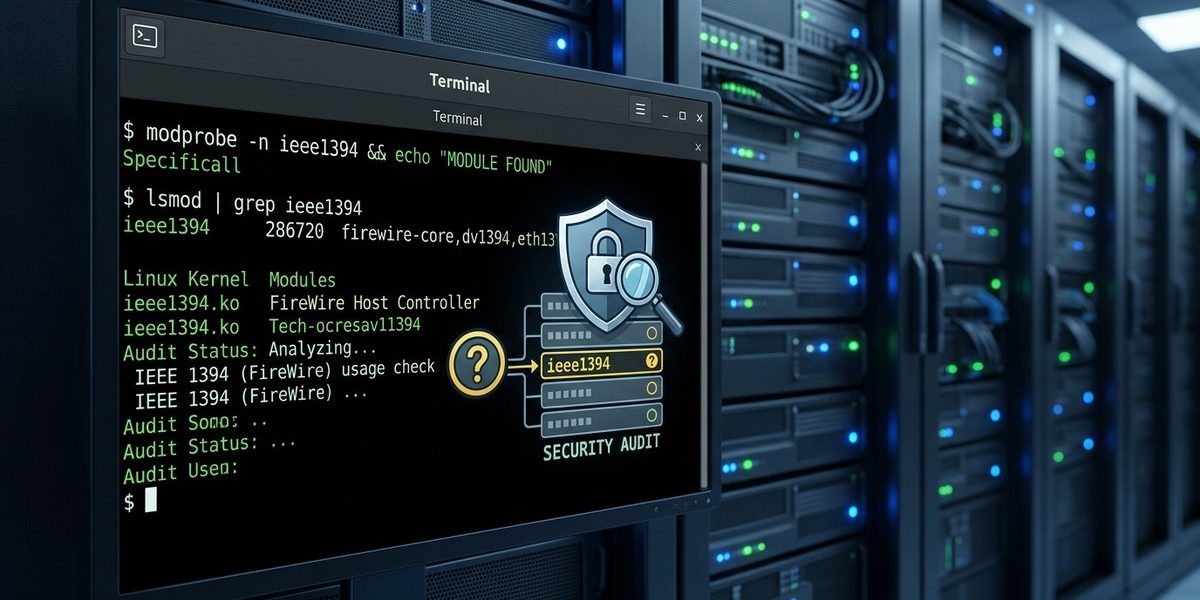
Does Your Linux Server Need the `ieee1394` Kernel Module? A Security Audit Guide

When you take on a Linux server security audit, the kernel is where the real work begins. It is the thin line between your data and the outside world. Every running module, every loaded driver, and every active service either helps you or puts you at risk. A proper audit does not stop at checking open ports or reviewing user accounts. It goes deeper. It asks whether your kernel is carrying unnecessary baggage that an attacker could use against you. That is what this guide is about: giving you a repeatable process to audit your Linux server, with a special focus on kernel modules like the IEEE 1394 (FireWire) stack, and helping you make informed decisions about what stays and what goes.
A Linux server security audit must include a review of every loaded kernel module. Unused modules like IEEE 1394 (FireWire) increase your attack surface and can be exploited for DMA attacks. This guide walks you through identifying, disabling, and monitoring kernel modules, plus using auditd to lock down your system. By the end, you will have a clear, repeatable audit process.
Why Kernel Modules Matter in a Security Audit
A kernel module is code that runs with full system privileges. If it loads automatically, it can access memory, hardware, and other sensitive parts of the system. Most Linux distributions load a set of default modules based on common hardware. That includes support for FireWire (IEEE 1394), even on servers that will never connect to a video camera or external drive.
The risk is not theoretical. FireWire supports direct memory access (DMA), which allows a device to read and write system memory without going through the operating system. An attacker with physical access to a FireWire port can pull credentials or plant malicious code. If your server sits in a data center with strict physical controls, that risk might be low. But if it is a lab machine, a colocated server, or a system in a shared office, the threat is real.
A thorough Linux server security audit guide must treat every kernel module as a potential liability. The goal is to keep only what you need.
The Core Audit Process: Three Phases
A good audit follows a structure. Here is a three-phase approach that works for any production server.
Phase 1: Inventory and Discovery
Before you change anything, you need to know what is running. Start with these commands:
lsmodlists all currently loaded kernel modules.modinfo <module>shows details about a specific module.systemctl list-units --type=serviceshows active services.
Create a baseline. Write it down. Use a tool like aureport later to compare changes.
Phase 2: Risk Assessment
For each module, ask three questions:
- Is this module required for the server to function?
- Could it be used by an attacker to gain access or information?
- Is there a business reason to keep it loaded?
Modules like firewire, pcsc (smart card), or bluetooth often answer “no” to all three. They should be disabled.
Phase 3: Remediation and Monitoring
Disable unnecessary modules by blacklisting them. Use auditd to watch for attempts to load them. This gives you both prevention and detection.
How to Disable Unwanted Kernel Modules
Disabling a kernel module is straightforward, but you need to do it correctly to survive reboots.
- Find the module name. Use
lsmod | grep firewireor similar. - Create a blacklist file in
/etc/modprobe.d/. Name it something clear, likeblacklist-firewire.conf. - Add the line:
blacklist firewire - If the module is already loaded, unload it with
sudo modprobe -r firewire. - Update your initramfs so the module is not loaded during early boot:
sudo update-initramfs -u(or the equivalent for your distribution).
For a deeper look at how modules interact with your hardware, read our guide on optimizing Linux kernel modules for enhanced hardware compatibility.
Using auditd to Monitor Module Loading
Disabling modules is good. Monitoring them is better. The auditd service can log every time a kernel module is loaded or unloaded. This catches both accidental loading and malicious attempts.
Set up a rule to watch module events:
sudo auditctl -w /sbin/modprobe -p x -k kernel_module_load
This watches the modprobe binary for execution. You can also watch the /proc/modules file, but the binary approach is more reliable.
To see the logs later:
sudo ausearch -k kernel_module_load --start today
If you are new to auditd, the mastering system monitoring tools for Linux power users guide covers installation and basic rules.
Common Mistakes During a Kernel Audit
Even experienced sysadmins make errors during an audit. Here are the ones I see most often, along with the correct approach.
| Mistake | Why It Hurts | Better Approach |
|---|---|---|
| Blacklisting modules without testing | A required module might be disabled, breaking hardware. | Test in a staging environment first. |
Only using lsmod without checking initramfs |
Modules can load before modprobe runs. |
Update initramfs after blacklisting. |
| Ignoring module dependencies | One module may pull in others. | Use modinfo -d <module> to see dependencies. |
| Not logging module load events | You lose visibility into changes. | Set up auditd rules for module binaries. |
| Relying on a single audit tool | No tool catches everything. | Combine auditd, lsmod, and systemctl. |
Expert advice: Always keep a fallback. If you disable a module that a service needs, the service may fail silently. Run a full service test after every change. A simple
systemctl restart --alland a check of the logs can save you a late night.
A Practical Checklist for Your Next Audit
Use this checklist to guide your work. It covers the key areas that a Linux server security audit guide should address.
- List all loaded kernel modules with
lsmod. - Cross-reference each module against known security issues (use CVE databases).
- Identify modules that provide DMA access, like FireWire, Thunderbolt, and ExpressCard.
- Disable unnecessary modules in
/etc/modprobe.d/. - Update initramfs and reboot to confirm the changes stick.
- Configure
auditdto log module load events. - Review logs weekly for unexpected module activity.
- Document every change in your change management system.
If your server does use FireWire for a specific purpose, like connecting to legacy audio hardware, you need a different strategy. Instead of disabling the module entirely, restrict physical access and monitor it closely. The guide on mastering FireWire device management on Linux systems shows how to balance usability with security.
Understanding the FireWire Risk in 2026
Some sysadmins assume FireWire is obsolete and therefore no longer a threat. That is not accurate. Many older servers and specialized workstations still have FireWire ports. Even if the hardware is not connected, the kernel module may load automatically. An attacker who gains physical access can plug in a FireWire device and use DMA to extract memory contents.
The attack is well documented. Tools like Inception can perform DMA attacks over FireWire. The fix is simple: remove the module if you do not need it.
For a deeper technical look at how these attacks work on the kernel level, see our article on understanding low-level FireWire hardware communication on Linux.
Building a Repeatable Audit Process
A single audit is not enough. Your server configuration changes over time. New kernel updates may enable modules that were previously disabled. Services get added, hardware changes, and security patches shift the landscape.
Build your audit into a regular cycle. Here is a schedule that works for most teams:
- Weekly: Check
auditdlogs for module load events. - Monthly: Run a full inventory with
lsmodand compare it to your baseline. - Quarterly: Review all disabled modules to see if any should be re-enabled for new hardware.
- Annually: Perform a full security audit that includes kernel module review, user accounts, and network services.
Automate what you can. A simple cron job that runs lsmod and emails the output to your team can catch changes before they become problems.
For help with automation, look at how to automate Linux server provisioning with Ansible in 2026. Ansible can enforce module blacklists across your entire fleet.
Tying It All Together
A Linux server security audit is not a one-time project. It is a discipline. Every kernel module you disable is one less tool an attacker can use. Every log you monitor is one more chance to catch something early. The process I have outlined here gives you a clear starting point: inventory, assess, disable, and monitor.
Start with the modules that carry the most risk. FireWire is a good place to begin, but do not stop there. Look at Bluetooth, PC Card, and any module related to consumer hardware. If your server does not need it, remove it.
The next time you run a security audit, use this guide as your template. Work through each phase. Write down your findings. Share them with your team. Over time, you will build a server environment that is harder to compromise and easier to defend.
Now go check your lsmod output. You might be surprised at what you find running.