
If you have spent more than a few hours tinkering with Linux, you have likely run into the name “systemd.” Some people love it. Others loathe it. If you are a developer or a Linux enthusiast setting up a personal workstation, the decision between systemd and an alternative init system can feel overwhelming. Should you go with the default that almost every major distro ships, or should you seek something leaner and more traditional? The answer depends on your priorities: speed, simplicity, modularity, or compatibility with the tools you rely on every day.
For most workstation users in 2026, systemd offers a mature, feature-rich environment that simplifies service management, logging, and boot optimization. However, if you value minimalism, complete control over each component, or run on very low-resource hardware, alternatives like OpenRC or runit may serve you better. Evaluate your workflow, not the hype.
What is the systemd init system and why does it matter for your workstation
At its core, the systemd init system is the first process that starts after the kernel boots. It handles starting and stopping services, managing daemons, and keeping everything in order. But systemd is far more than an init system. It includes a suite of tools: systemctl for service control, journald for logging, timedated for time management, networkd for networking, and more. For a workstation, this means you get a unified interface for tasks that used to require separate utilities.
The debate about systemd often centers on whether it violates the Unix philosophy of “do one thing and do it well.” Critics argue it has become a bloated monolith. Proponents say it brings consistency and speed. For a personal workstation, the practical question is simple: does it make your daily work easier or harder?
If you are managing multiple services, writing unit files, troubleshooting boot times, or relying on modern desktop environments, systemd likely saves you time. If you prefer shell scripts, minimal dependencies, and the ability to swap out components, you might lean toward something like OpenRC.
But before you choose, let’s look at how systemd changes the boot process and service management on a workstation.
How systemd changes the boot process and service management
Traditional SysVinit systems used serial startup scripts. Systemd parallelizes service startup whenever possible, which can shave seconds off your boot time. On a modern SSD-equipped workstation, the difference may be marginal, but on older hardware or systems with many services, it adds up.
Service management with systemctl is straightforward. Instead of editing shell scripts, you create unit files. Unit files use a clear syntax and support dependencies, ordering, and resource control via cgroups. Here is a practical example: if you run a local web server for development, you can write a simple service unit, enable it to start at boot, and view its logs with journalctl -u myapp.service. No need to remember where log files live.
For a developer workstation, systemd also provides:
- Socket activation: start services only when a connection arrives, reducing memory usage.
- Timer units: replace cron jobs with declarative timers that integrate with journald.
- Resource limits: set CPU, memory, or I/O limits per service using cgroups.
All of these can be configured without touching the kernel or creating complex scripts. The trade-off is learning a new syntax and accepting that you are tying your system to the systemd ecosystem.
If you ever need to diagnose a boot failure, systemd’s journalctl is invaluable. You can filter logs by boot, service, priority, or time range. For deeper troubleshooting, check out our guide on how to troubleshoot Linux boot issues with systemd and journalctl.
A practical checklist: when systemd fits your workstation
Use this numbered list to evaluate if systemd is a good match for your needs. Mark each item true or false for your situation.
-
Do you use a major distribution like Fedora, Ubuntu, Arch, openSUSE, or Debian?
All of them use systemd by default as of 2026. Switching to an alternative means using a community maintainer or a non-standard spin. If you want to stay on the beaten path, systemd is the path. -
Do you need robust logging and monitoring out of the box?
Journald collects system logs, kernel messages, and service logs in a structured format. If you want to filter or analyze logs without installing extra tools, systemd helps. For advanced monitoring, you can combine it with eBPF; read how to use eBPF for real-time Linux system monitoring. -
Do you run multiple servers or containers on your workstation (e.g., Docker, podman, local databases)?
Systemd’s cgroup management and unit dependencies make it easy to orchestrate local services. Socket activation can also reduce resource waste when a service is rarely used. -
Do you prefer declarative configuration over shell scripts?
Unit files are plain text with a defined schema. They are easier to audit and version control compared to custom init scripts. -
Do you value community support and package compatibility?
Almost all software packages assume systemd is the init system. If you use OpenRC, you may need to write your own init scripts or use compatibility layers.
If you answered “true” to at least three of these, systemd is likely a solid choice for your workstation. If you answered “false” to most, you may want to consider alternatives.
Common pitfalls and how to avoid them
Even systemd enthusiasts hit snags. The table below outlines common mistakes and the correct approach.
| Pitfall | Mistake | Correct Practice |
|---|---|---|
| Masking vs. disabling a service | Using systemctl disable alone can still allow a service to start if another unit pulls it in. |
Use systemctl mask to prevent any activation (including manual start). |
| Over-reliance on default timeouts | A service that takes longer than the default 90 seconds to stop will be killed. | Increase TimeoutStopSec in the unit file for services that need graceful shutdown (e.g., databases). |
| Ignoring journald disk usage | Journal logs can grow unbounded, filling your root partition. | Set SystemMaxUse=500M in /etc/systemd/journald.conf and consider using journalctl --vacuum-time=2weeks. |
| Editing unit files directly in /usr/lib | The system package manager overwrites those files on update. | Create override snippets in /etc/systemd/system/<unit>.d/override.conf or use systemctl edit <unit>. |
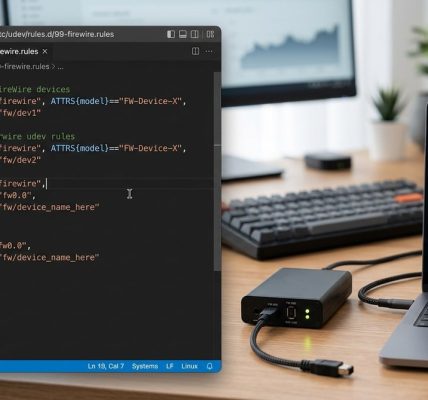
These tips will save you from common headaches. For more on persistent hardware names and udev integration, see how to configure udev for persistent FireWire device names on Linux if you work with FireWire gear.
Expert advice: Always test service changes with
systemctl --userfor user services before applying them system-wide. This prevents locking yourself out of critical daemons during experimentation.
Alternative init systems worth considering in 2026
Systemd is not the only player. If you prefer a lighter or more traditional approach, several viable alternatives exist for workstation use.
-
OpenRC: Used by Gentoo and Alpine Linux. It is dependency-based but still uses shell scripts for service definitions. It integrates well with udev and elogind, so you can keep many systemd-like features without the binary. OpenRC is a good middle ground for those who want control without going full script-based.
-
runit: A simple, fast init system designed for minimalism. It runs services as separate processes and uses a small supervisor daemon. Popular among Void Linux users. runit is excellent for low-resource workstations or live systems.
-
s6: A modern supervision suite that focuses on process supervision, service management, and logging. It is more modular than systemd and based on a small core. s6 can be used as an init system via s6-linux-init, but it has a steeper learning curve.
-
sysvinit: The grandfather of init systems. It works, but lacks parallel boot, dependency handling, and modern logging. For a workstation in 2026, it is only recommended if you are building a very minimal system for learning purposes or retro computing.
Each alternative has its own community and quirks. If you decide to switch, be prepared to write your own init scripts or adapt existing ones. You may also need to run elogind for desktop sessions and polkit integration.
Making your final decision
Choosing the right init system for your Linux workstation is not a permanent decision. You can test different distributions in virtual machines or on spare partitions. Start with systemd because it is the default on most distros and the most widely supported. Spend a few weeks using it. Pay attention to how you interact with services and logs. Does systemctl feel natural? Do you appreciate the unified logging? If not, try a distribution that uses OpenRC, such as Gentoo or Alpine.
Your workflow matters more than ideological purity. If systemd speeds up your work and reduces frustration, it is the right choice. If you find yourself fighting against it, alternatives exist. The Linux ecosystem thrives on choice.
For those who work with specialized hardware like FireWire devices, systemd’s modularity can still fit in. You can integrate hardware service units with udev rules. Check out mastering FireWire device management on Linux for practical steps.
Ultimately, the best init system is the one that stays out of your way. Systemd does that for millions of users. But if you value a smaller footprint and more control, the alternatives are ready for you to try. Take a weekend, install a VM, and see which approach feels right for your 2026 workstation.