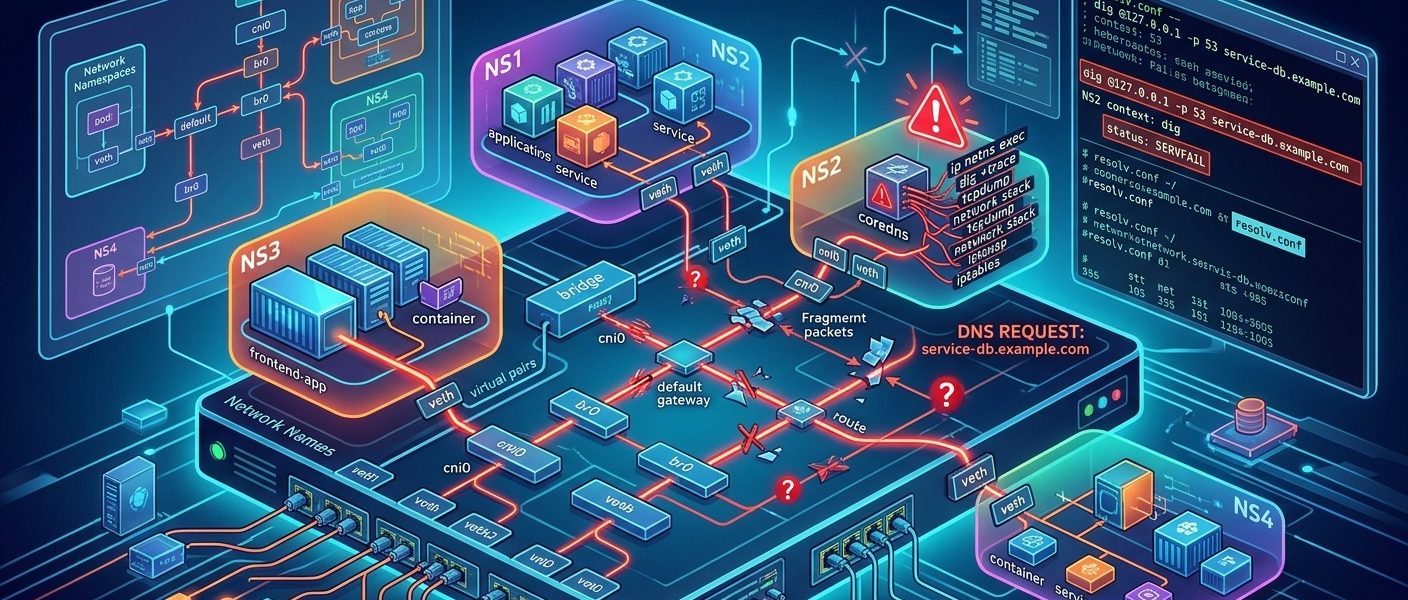

The host resolves the database name. The application container times out. Your service dashboard is turning red, yet every DNS check from your SSH session looks healthy. That mismatch is your first useful clue: the host and the container are not testing the same resolver path.
Consider an incident after a container deployment. On the host, getent ahosts db.corp.example returns the expected private address. Inside the application container, connection attempts fail during name resolution. The container has a working default route, and connections to a known service IP succeed. We will trace this failure through resolver configuration, namespace routing, and packet captures, then check that the repaired path handles both UDP and TCP DNS.
Incident Takeaways
- Compare the host and container resolver files before changing anything.
- Run each probe in the filesystem and network context you intend to test.
- Trace requests and replies across the container interface and host uplink.
- Test UDP and TCP port 53 independently.
- Verify the application’s lookup path after direct DNS queries succeed.
Establish Which Lookup Actually Fails
Start with the exact name, record type, and failure seen by the application. A timeout, an NXDOMAIN response, and SERVFAIL describe different problems. A timeout means that the client did not receive a usable response within its deadline. NXDOMAIN is a DNS response asserting that the queried name does not exist. SERVFAIL means a server could not complete the query.
Use an absolute name with a trailing dot for the first direct probes. This removes search suffix expansion from the experiment. Test A and AAAA separately if the application requests both.
getent ahosts db.corp.example
dig db.corp.example. A +time=2 +tries=1
dig db.corp.example. AAAA +time=2 +tries=1
These commands do not necessarily use identical paths. getent follows the configured Name Service Switch path, which may include files, resolver modules, and local services. dig sends DNS queries and does not reproduce the application’s complete name service behavior. A successful host lookup is useful evidence, but it does not establish container reachability.
Record the server shown by dig, the response status, and the elapsed time. Keep the incident timestamp with your notes. Cached answers can make a broken upstream path appear healthy, especially when host and container caches have different contents.
Read Resolver Configuration From Both Filesystems
On the host, inspect the resolver file and its target. A symlink can lead to a generated file managed by a local resolver service.
ls -l /etc/resolv.conf
cat /etc/resolv.conf
cat /etc/nsswitch.conf
For this incident, assume Docker provides the container runtime. Set the container name and obtain its current host PID. Repeat this after any restart because the PID can change.
container=payments-api
pid=$(docker inspect --format '{{.State.Pid}}' "$container")

docker exec "$container" cat /etc/resolv.conf
docker exec "$container" cat /etc/nsswitch.conf
docker exec "$container" getent ahosts db.corp.example
Minimal images may lack cat, getent, or a shell. Use approved runtime inspection or a diagnostic container with the appropriate namespace sharing. Do not assume a debug image has the application’s resolver libraries or filesystem configuration.
The configuration differences worth recording are concrete:
- The nameserver addresses, especially loopback addresses or a runtime-provided DNS endpoint.
- The search domains and
ndotsoption, which affect which names are queried. - Resolver timeout and retry settings that can multiply application delays.
- Whether resolver files are generated, mounted, or retained from container creation.
- The host’s NSS configuration and any per-interface DNS routing policy.
In our incident, the host’s resolver file contains nameserver 127.0.0.53. The container has inherited that same address through a deployment configuration change. The host runs a local stub resolver at that address. The container does not.
Loopback belongs to the network namespace. A packet sent to 127.0.0.53 inside the container stays within that namespace. It does not reach the host’s loopback listener. Sharing a resolver file does not share the socket that makes the file useful.
Do not generalize this finding to every loopback resolver address. A container runtime can deliberately provide an embedded resolver at a loopback endpoint inside its networking setup. Identify who owns the configured endpoint before replacing it.
Use nsenter Without Mixing Up Resolver Contexts
nsenter lets you run host diagnostic tools in the container’s network namespace. That is valuable when the application image has no troubleshooting utilities.
sudo nsenter --target "$pid" --net -- ip -br address
sudo nsenter --target "$pid" --net -- ip route
sudo nsenter --target "$pid" --net -- ss -lun
sudo nsenter --target "$pid" --net -- ss -ltn
Entering only the network namespace leaves the command using the host’s filesystem view. A plain dig launched this way normally reads the host’s /etc/resolv.conf. It does not automatically read the container’s resolver file.
Make the destination explicit when testing with host tools. In this example, 10.20.0.53 is the organization’s approved internal resolver. Replace it with the actual address established from your environment.
sudo nsenter --target "$pid" --net -- \
  dig @127.0.0.53 db.corp.example. A +time=2 +tries=1

sudo nsenter --target "$pid" --net -- \
  dig @10.20.0.53 db.corp.example. A +time=2 +tries=1
The first query fails. The second returns the expected private answer. That narrows the fault sharply: the container can reach the internal resolver, but its configured endpoint is wrong.
Socket inspection supports this diagnosis when there is no listener at the configured stub address. Treat it as supporting evidence, since runtime DNS implementations can also involve packet translation rules rather than an ordinary visible listener.
Keep Public Record Checks Separate From Internal DNS
At this stage, an external comparison can help with a public name. A DNS lookup provides another view of public DNS records when you suspect a public record change or inconsistent published data.
That comparison has a firm boundary. It cannot validate your internal split-horizon answer. An internal resolver may return a private address for a name that returns a different address publicly. A private zone may also be absent from public DNS entirely.
An external query cannot establish whether a container reaches its configured resolver, either. It originates elsewhere, uses another network path, and may use another recursive resolver. Public results can agree perfectly while your container sends every query to an unused loopback address.
For internal names, compare answers from the intended internal DNS service. Preserve the query name and record type across tests. An A query for an absolute name is a cleaner comparison than two application calls that may apply different suffixes or request different address families.
Follow the Route From the Container to the Resolver
Even with a configuration fault identified, verify the replacement destination through the actual namespace. A resolver reachable from the host may sit behind a VPN route, source-based policy, or firewall rule that does not apply to container traffic.
ip route get 10.20.0.53

sudo nsenter --target "$pid" --net -- \
  ip route get 10.20.0.53

sudo nsenter --target "$pid" --net -- ip rule show
sudo nsenter --target "$pid" --net -- ip route show table all
The namespace route lookup identifies the selected interface, next hop, and source address. In a common bridge setup, the query crosses a virtual Ethernet pair, reaches the host, and is forwarded toward the resolver. Source NAT may replace the container address before the packet leaves the host.
Check the host’s forwarding and firewall state against that topology:
sysctl net.ipv4.ip_forward
sudo nft list ruleset
Look for rules affecting forwarded traffic, source translation, and return packets. A query generated by the host traverses a different path from a packet forwarded for a container. Host success therefore does not prove that forwarding rules permit the container flow.
For rootless containers, the path may use user-space networking instead of a conventional host bridge. Locate the runtime’s actual egress path before interpreting the absence of packets on a bridge interface.
Capture the Same Query at Both Sides
Run captures in separate terminals, then issue one controlled query. Keep filters narrow enough to read. The first capture observes DNS traffic within the target network namespace.
sudo nsenter --target "$pid" --net -- \
  tcpdump -ni any -s 0 -vv '(udp port 53 or tcp port 53)'
The host capture follows traffic to the intended resolver. Once you know the egress interface, capture there as well to make direction and address translation easier to assess.
sudo tcpdump -ni any -s 0 -vv \
  'host 10.20.0.53 and (udp port 53 or tcp port 53)'
In our incident, a query to the configured stub appears on loopback inside the container namespace. Nothing destined for the internal resolver reaches the host uplink. An explicit query to 10.20.0.53 appears in both captures, with a matching reply.
Read the captures as a sequence of observable boundaries:
- No query in the container capture points toward application behavior, caching, an earlier failure, or a capture filter mismatch.
- A query confined to container loopback points toward a local endpoint that needs inspection.
- A query leaving the container but absent from host egress points toward forwarding, routing, filtering, or runtime networking.
- A query leaving host egress without a reply points toward an upstream path, resolver policy, or return-path problem.
- A reply reaching the host but absent from the container points toward translation, connection tracking, filtering, or return routing.
Match the query name, record type, transaction ID, addresses, ports, and timing. Translation can change packet addresses and ports. Captures on any can also show a packet at multiple interfaces, so repeated lines do not automatically mean the client retransmitted.
If you save captures, use a restricted location and retain them only as needed. DNS payloads can expose internal service names and operational details.
Test TCP Before Calling the Path Healthy
A successful small UDP answer does not cover every DNS exchange. Larger responses can be truncated, requiring a client to retry over TCP. A policy that permits only UDP port 53 can leave small queries working while other lookups fail.
sudo nsenter --target "$pid" --net -- \
  dig @10.20.0.53 db.corp.example. A +notcp +ignore +time=2 +tries=1

sudo nsenter --target "$pid" --net -- \
  dig @10.20.0.53 db.corp.example. A +tcp +time=2 +tries=1
The first command keeps the test on UDP and suppresses an automatic TCP retry after truncation. The second explicitly tests TCP. Watch for the TCP handshake, DNS request, and response. Repeated SYN packets without a SYN-ACK suggest a transport path or listener problem. A completed handshake followed by a DNS error moves the investigation toward resolver behavior.
If failures depend on response size, test an approved name with a larger answer and inspect the truncation flag and advertised EDNS size. A smaller advertised UDP size can help diagnose fragmentation or path MTU trouble. Treat that as an experiment, then repair the underlying transport issue.
Repair the Configuration That Created the Failure
The lasting repair in this incident is to remove the inherited host stub address from the container deployment configuration. Configure the runtime to use the approved reachable internal resolvers, or restore its intended embedded DNS setup.
A public resolver is a poor substitute for an internal resolver that serves private zones. It cannot supply the same internal answers and may receive queries that should stay within the organization.
Check how the host routes DNS before copying upstream addresses. A host resolver can select DNS servers by domain or interface. A flat resolver file may not reproduce that split-DNS policy. Where that policy is required, provide a supported forwarding resolver reachable from the container network and limit access to the intended clients.
Avoid treating an interactive edit inside one container as the deployment repair. Generated files and recreated containers can restore the bad value. Change the source configuration, recreate a canary instance, and inspect its effective resolver file before expanding the rollout.
Close the Incident With Evidence From the Application
Repeat the original lookup from the repaired container. Test the exact hostname the application uses, including any reliance on search domains. Confirm A and AAAA behavior where relevant, then exercise a real application connection.
If direct queries work but application resolution still fails, return to the resolver library and NSS path. Check local caches, process-level negative caching, persistent connection behavior, and whether the running application picked up the configuration change. Restart only the components that require it.
Keep the final incident record specific: the container used a host-only loopback resolver, namespace captures showed queries staying local, explicit queries reached the internal resolver over UDP and TCP, and the corrected deployment restored application connections. That evidence explains both the outage and the misleading host success. The next on-call engineer gets a tested path to follow instead of another round of hopeful DNS restarts.